

TL;DR
- BPO contact centers drown in spikes, long queues, and heavy after call work; the real problem is not effort, it’s manual workflows that don’t scale.
- Contact center automation fixes specific operational pain: order tracking, outage calls, basic billing, routing hygiene, and call wrap up, so agents handle fewer robotic tasks and more real problems.
- superU gives BPOs voice agents that plug into existing stacks, handle Tier-0/Tier-1 calls end to end, and pass rich context to humans, cutting missed calls and burnout together.
What Is Contact Center Automation?
Contact center automation uses AI and software to handle routine service tasks and workflows across phone, chat, email, social, and SMS, so human agents can focus on complex issues.
Think of it as a second layer in your contact center that:
- Answers simple questions
- Routes the right issues to the right person
- Fills in systems after calls
- Watches patterns so you can improve your operations
Call Center vs Contact Center Automation
- Call center automation focuses mainly on phone calls.
- Contact center automation covers all support channels: phone, email, chat, social, SMS.
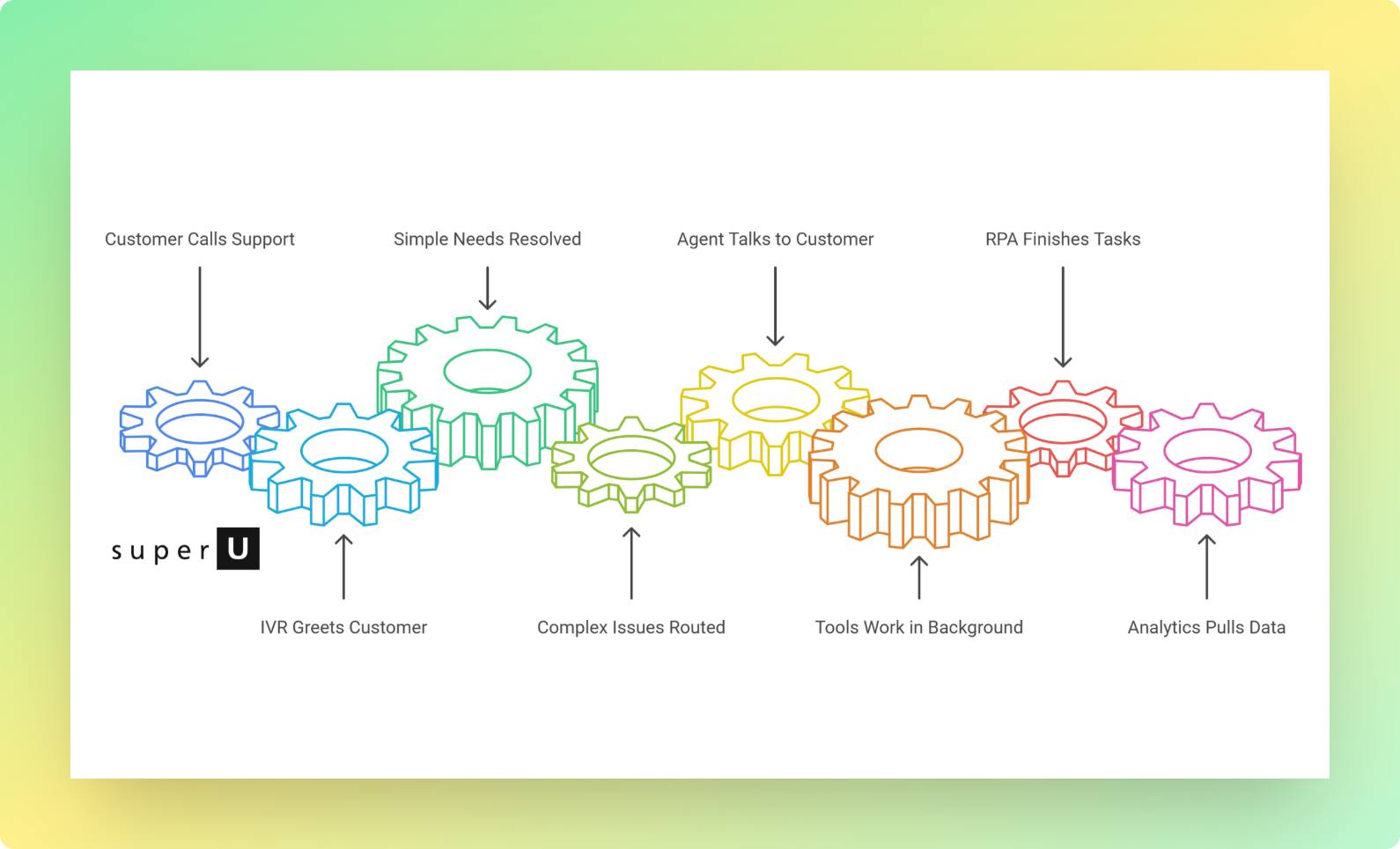
How Contact Center Automation Actually Works In A Typical Day
Let’s run through a realistic flow instead of theory.
1. Customer calls your support number
- An IVR or voice bot greets them and understands requests like “order status,” “reschedule appointment,” or “billing issue.”
- For simple needs, the system answers directly using connected order or CRM data.
2. If the issue is complex, automation routes the call
- Intelligent routing checks the customer’s history, sentiment, and reason for calling.
- It sends them to the right queue or agent, not just “whoever is free,” which cuts down on transfers.
3. While the agent talks, tools work in the background
- Live transcription and analytics track the conversation.
- Agent assist surfaces relevant help articles and previous tickets in real time.
4. After the call, RPA finishes the boring part
- AI generates a short summary.
- It updates CRM fields, tags the case, and schedules follow up tasks.
- This reduces the “after call work” that eats 20–30% of agents’ time in many centers.
5. Analytics pulls everything together
- Dashboards show wait times, first contact resolution, and sentiment trends.
- Leaders spot patterns: why Mondays spike, which flows break, which bot paths frustrate people.
The result is not “robots doing support.” It is a system where automation quietly handles repeat tasks so your team can actually listen, think, and solve.
The Real Problems Contact Center Automation Fixes
Let’s move past generic “efficiency” talk. Here are real issues teams face and how contact center automation helps.
1. Long Queues During Spikes
Product launches, sales, outages, month end billing days. Your queue time shoots up, SLAs slip, and customers start hanging up.
AI chatbots, IVR, and self service portals absorb simple requests like “where is my order” or “what are your hours,” while agents handle only the high value calls.
2. Agents Buried In After call Work
Many teams spend a huge chunk of time logging calls, updating fields, and writing notes. Nextiva highlights that workflow automation can take over this admin layer and auto summarize calls, update CRMs, and create follow ups.
That means:
- Less copy paste
- Fewer missed follow ups
- More time for actual conversations
3. Customers Repeating The Same Story
You have seen this play out: Customer explains the issue to chat, then again to the IVR, then again to the agent.
With proper contact center automation, each interaction attaches to the same customer history. When a bot hands off to an agent, it passes the transcript and context. IBM calls this smooth omnichannel handoff a best practice for effective automation.
4. 24/7 Expectations With 9–5 Staffing
Customers still want help at 2 a.m. But staffing a full night shift is expensive.
You do not ignore customers overnight. You give them a useful first step and a faster resolution when humans return.
5. Burnout And High Agent Turnover
Call center work can get repetitive and stressful. Nextiva cites that nearly half of managers see agent turnover as a top issue, and automation that removes repetitive tasks contributes to better engagement and retention.
When agents spend more time solving real problems, not saying the same script 200 times, they stay longer and perform better.
Practical Contact Center Automation Use Cases You Can Deploy Now
These are not futuristic ideas. They are real flows companies already use,
1. Order Status And Delivery Questions
One of the most common reasons people call is “Where is my order?”
Automation flow:
- Customer types or speaks order ID.
- The system checks your order system in real time.
- It responds with shipment status, expected delivery date, and next steps.
This alone can remove a large portion of your inbound volume without touching an agent.
2. Appointment Booking And Reminders
Healthcare, salons, repair services, clinics, gyms, B2B demos. People call to book, reschedule, or cancel.
Automation:
- Voice bot or chat flow handles slot discovery and booking.
- System syncs with your calendar.
- Automated SMS, email, or voice reminders cut no shows.
3. Outage Or Disruption Handling
Think of airlines, utilities, or SaaS downtime. When something breaks, your contact center explodes.
IBM describes how a major airline launched a self service rebooking app in a few months so passengers could change flights on their own during disruptions.
You can do a similar thing on a smaller scale:
- IVR option “Press 1 to check outage status”
- Bot shows incident status and estimated resolution
- Proactive outbound messages notify affected customers before they flood your lines
4. Billing And Account Support
Billing issues are sensitive. You cannot always fully automate them, but you can handle a lot of the front half.
Automation can:
- Pull up the last invoice
- Explain common line items
- Update basic account details
- Route complex billing disputes to the right specialized queue
5. Ticket Creation And Auto Triage
IBM shows how AI can read inbound emails or form submissions, extract intent, and auto create and categorize tickets.
Real world impact:
- Fewer “general” tickets that sit in limbo
- Faster assignment to the right team
- Consistent priority rules on every case
Top 5 Contact Center Automation Options For AI Voice Agents
| Platform | Voice agent focus | Where it fits best | Voice centric notes |
|---|---|---|---|
| superU AI | No code platform for custom AI voice agents that handle inbound and outbound calls, answer like a human, book appointments, qualify leads and update CRM without code. | Teams that want a pure voice automation layer on top of existing phone systems and CRMs, with 24x7 answering and campaigns without building a full contact center stack | Built specifically as a voice agent platform. Handles both Tier 1 support and revenue calls so you move away from IVR menus and do not need heavy chatbot setup to start. |
| Five9 Intelligent Virtual Agent | AI virtual agents that automate common customer interactions, let people self serve and only escalate complex issues to live agents across voice and digital. | Enterprises already on Five9 or planning a full cloud contact center who want AI self service, real time dashboards and routing in one stack. | Five9 positions IVA as an upgrade from IVR to more conversational self service. Good step away from IVR trees, but voice agents are part of a wider platform rather than the single focus. |
| Talkdesk AI Agents for Voice (Autopilot Voice) | Human like AI agents that listen, understand, decide and act in real time, handling interruptions and emotional cues to resolve requests over voice. | Brands that already use Talkdesk for cloud contact center and want strong AI voice automation alongside digital channels. | Talkdesk itself says AI agents for voice move beyond simple speech recognition to real time decisions and empathy. A clear push away from static IVR menus, though chatbot flows still play a big role on web and apps. |
| Genesys Voicebots | AI powered voice assistants that let customers speak in natural language, self serve for common issues and move to a live agent with full context when needed. | Large organisations using Genesys Cloud CX that want to fix traditional IVR pain, use conversational AI for voice and keep context across channels. | Genesys says traditional IVRs are complex menu mazes and positions voicebots as the better option for automation. So even legacy players are telling you to move from IVR menus to proper voicebots. |
| NICE CXone Virtual Agents and Voicebots | Virtual agent hub to deploy AI voicebots and chatbots across channels with NLP, text to speech and speech to text, plus deep integration into CRM and ticketing. | Enterprises that use CXone as their main contact center platform and want to layer AI self service on top of existing voice queues and digital support. | CXone combines AI voice and chatbots, but voicebots become the front door for Tier 1 support. This lets you phase out legacy IVR trees while still keeping chatbots as useful secondary channels. |
Challenges You Will Actually Face (And How To Avoid Them)
1. Automating The Wrong Conversations
Not every interaction suits automation. Angry, emotional, high risk situations need humans.
Fix: start with high volume, low risk flows like order status, hours, simple changes. Keep clear “talk to a person” exits in every bot and IVR path.
2. Bots That Trap Customers
Over automation creates loops where customers never reach a person.
Fix:
- Set clear rules for escalation.
- Show “speak to an agent” as a visible option.
- Pass full context so the agent does not restart from zero.
3. Integration And Data Headaches
Automation needs access to CRMs, billing systems, order tools. Integrations can be messy and fragile.
Fix:
- Start with one or two core systems.
- Use APIs and standard connectors where possible.
- Keep your data fields clean and consistent.
4. Agent Resistance And Change Management
Agents worry “AI will replace me,” so they resist new tools. Nextiva notes that change management and training are key to making automation work.
Fix:
- Frame automation as “removing grunt work,” not “cutting headcount.”
- Show agents how tools save their time and help them win calls.
- Involve strong agents early as champions.
5. Security And Compliance
Automated systems touch sensitive data. You must meet regulations like GDPR or HIPAA where they apply.
Fix:
- Use platforms with robust encryption and audit trails.
- Limit who and what can access data.
- Review flows for compliance before going live.
How To Start With Contact Center Automation (A Simple Plan)
Here is a practical starting plan that fits.
1. List your top 20 reasons customers contact you
Pull one month of data from your phone and chat logs. Group by intent.
2. Pick 1–2 “easy win” use cases
Good candidates: order status, password reset, appointment reminder, business hours, simple policy questions.
3. Design the flow with both bot and human in mind
Decide: what the bot will handle, when it passes to humans, what context it will send.
4. Start in one channel first
For example, launch a voice bot only on your main phone line, or a chat bot just on your website.
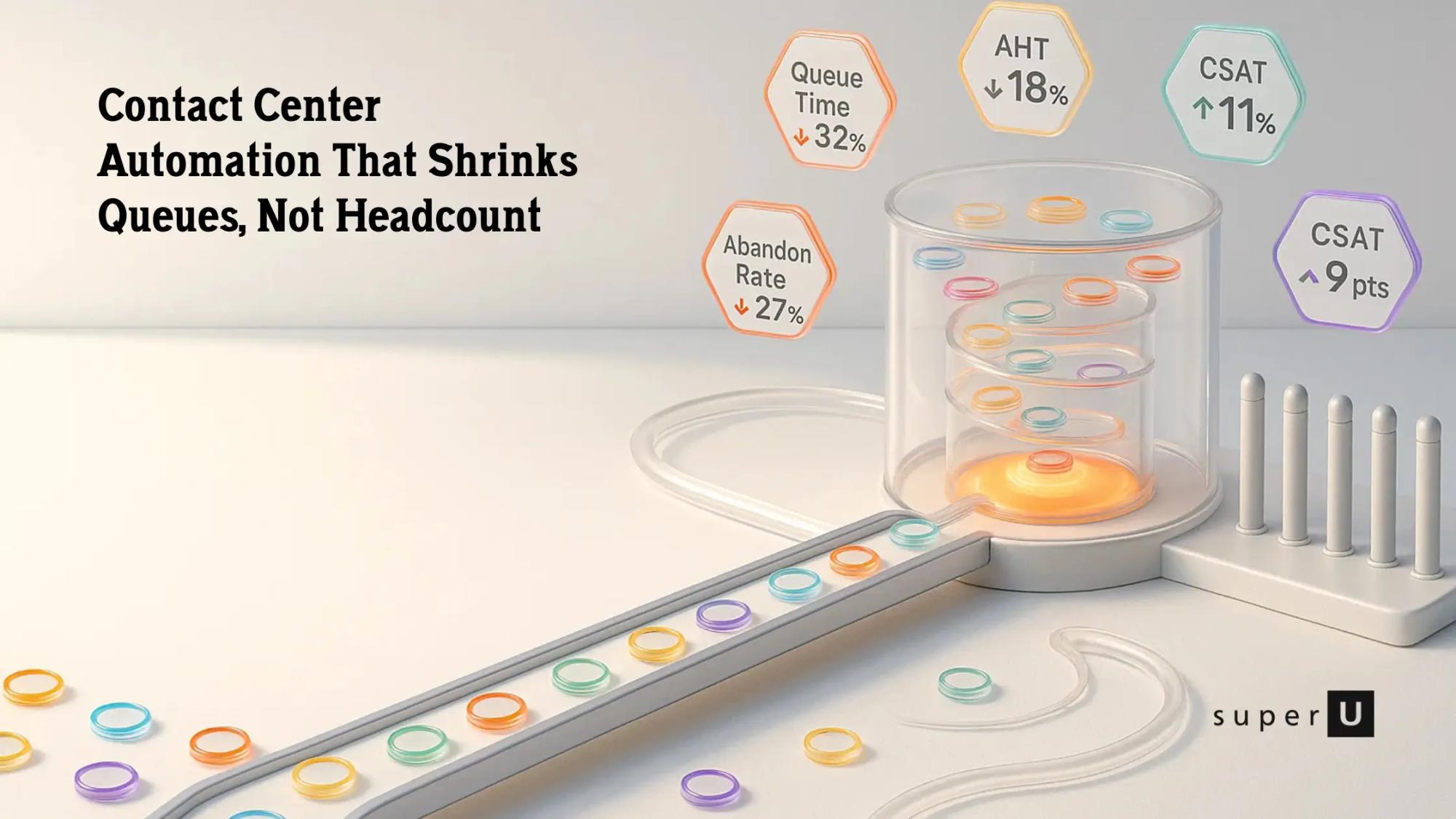
5. Measure: before vs after
Track queue time, first contact resolution, CSAT, and agent after call work. stresses ongoing KPI tracking and iteration as a must have best practice.
6. Improve, then expand
Fix what breaks, then roll the same pattern into more use cases, more queues, and more channels.
How superU Automates Calls For Your Contact Center
At superU, we focus on one thing: making voice automation usable for real teams, not just labs.
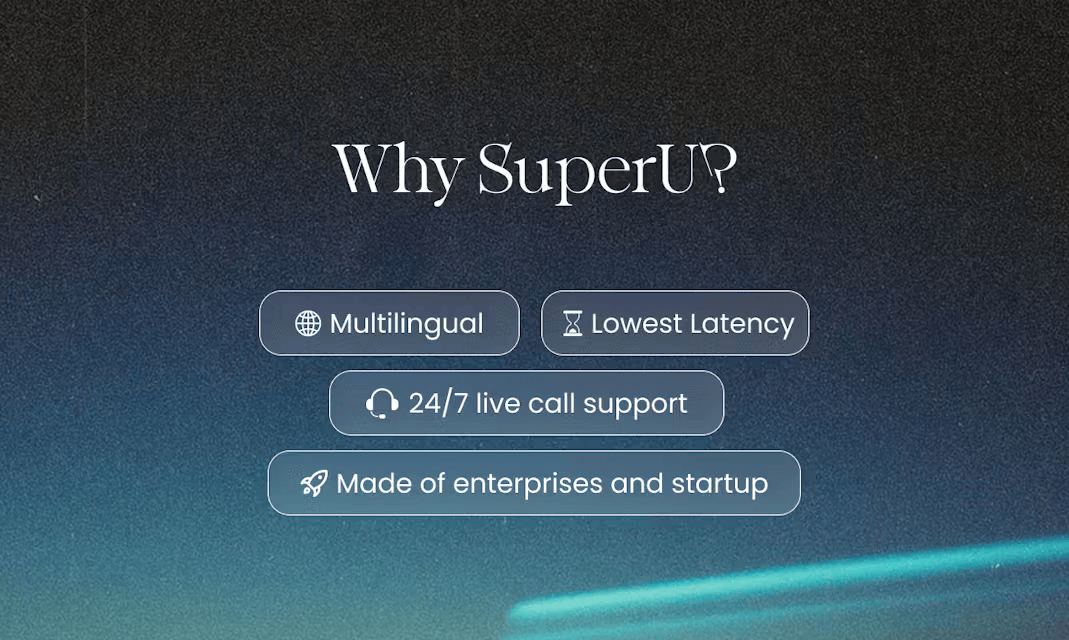
You can spin up AI voice agents that answer and place calls, speak 100+ languages, and plug into your existing tools. They handle repeat questions, schedule appointments, trigger workflows, and pass full context to human agents when needed. You do not rebuild your entire stack. You keep your numbers, connect superU on top, and start reducing missed calls and hold times in days, not months.
Conclusion
Contact center automation is about fixing very human problems in your support day: customers on hold, stressed agents, long queues, and messy handoffs.
By starting with a few high impact use cases and combining bots, IVR, RPA, and analytics with your existing team, you unlock faster responses, better experiences, and more sustainable operations.
If you approach it step by step, your contact center stops being a cost sink and becomes a reliable, scalable engine for customer loyalty.
FAQs
1. Will contact center automation replace my agents?
No. Current best practice is to automate about a third of tasks and let humans handle complex, emotional, or high value work.
2. How fast can I see results?
You usually see quicker response times and fewer simple tickets as soon as your first 1–2 automated flows go live, especially for FAQs and order status.
3. Do I need a full CCaaS platform to start?
Not always. You can begin by adding IVR, bots, or call automation like superU on top of your current phone system and CRM, then grow from there.
4. Which metrics should I watch?
Focus on first contact resolution, average handle time, queue wait time, CSAT, and agent after call work..
Reduce missed calls and support costs with superU today.
