


TL;DR
- Google Voice is a cloud phone service that you add to Google Workspace. You buy licenses per user.
- It gives you phone numbers, calling over the internet, voicemail transcription, spam blocking, auto attendants and ring groups on higher plans.
- Plans are Starter, Standard, Premier, each with different features and price points.
- Texting is limited. Group texts are capped at 8 people and short codes are not supported.
What is Google Voice for Business?
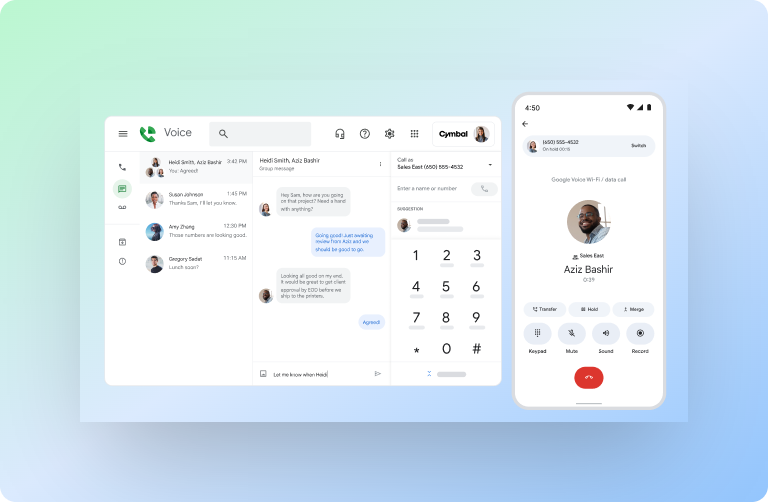
Google Voice is Google’s cloud phone system for companies that use Google Workspace. You purchase it as a paid add on, assign licenses to users, and manage everything in your Admin console. Think of it like giving your team business numbers that work on laptops, phones, and supported desk phones. It integrates with Google tools like Calendar and Meet.
At a high level you get spam blocking, voicemail transcription, and a web and mobile app. On the higher plans, you also get auto attendants, ring groups, desk phone support, SIP Link, and BigQuery export.
How does Google Voice work?
Voice uses VoIP, so calls and texts travel over the internet. You assign a number or port one in, then place or receive calls from the web app or the Android and iOS apps. Admins manage numbers and routing in the Google Admin console.
Under the hood, Google Voice routes calls to the right user or group using features like ring groups and multi level auto attendants. These are set up by your admin to control how inbound calls flow.
Recent product updates include a refreshed in call interface and three way calling for eligible Workspace Voice tiers. That change improved the call controls and made merging calls easier.
Plans and pricing at a glance
Google sells three tiers. Pricing and inclusions can change, so always confirm on the official page, but here is the feature shape straight from Google’s plan comparison:
- Starter: Up to 10 users, domestic locations only. Core calling, spam protection, voicemail transcription.
- Standard: For organizations of any size that need business telephony like multi level auto attendants, ring groups, desk phone support, SIP Link, and on demand recording.
- Premier: For larger or international orgs, adds automatic call recording and BigQuery export for advanced reporting.
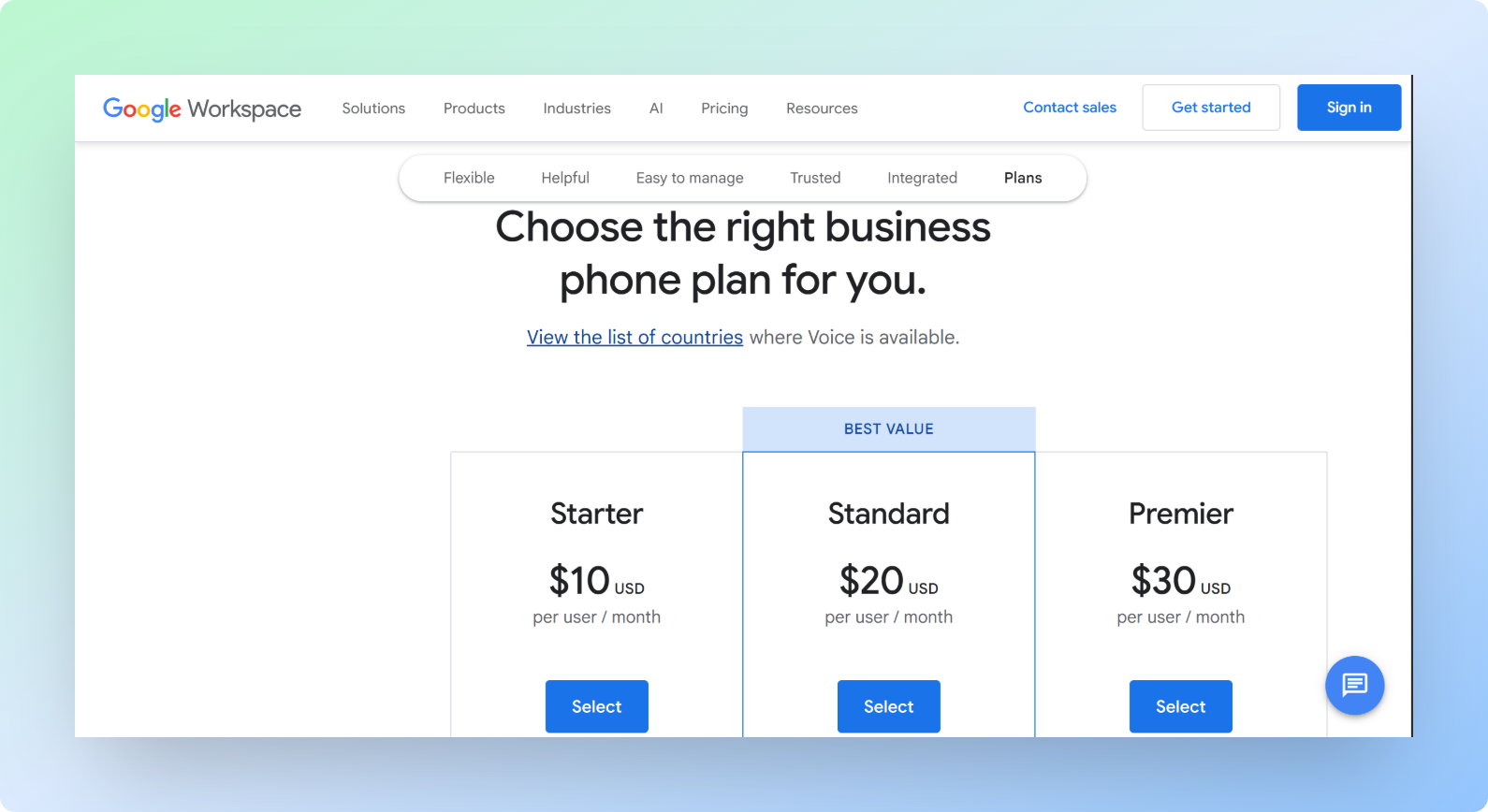
All tiers include web, Android, and iOS apps, 24x7 support, an SLA, and included calling to specific destinations based on where you are licensed. Google calls out that calls to the US are included from any Google Voice number, calls to Canada are included from US or Canadian numbers, and many European destinations are included when you are in Europe. Always check current calling rate notes.
Key features you actually use
- Phone numbers and port in: Get new numbers or port your existing business numbers into Voice.
- Apps for every device: Use the web app or mobile apps to call and text.
- Voicemail transcription and spam blocking: Save time by reading voicemails and filtering junk.
- Ring groups: Route inbound calls to teams like Sales or Support, define ring order, and allow outbound calls from the group number if you enable it.
- Auto attendants: Build menu trees so callers can press options and reach the right person.
- Recording: On demand on Standard and Premier, automatic on Premier.
- SIP Link and desk phones: Connect certified SBCs and use supported desk phones with zero touch provisioning.
Limits you should know
I respect what Google Voice gets right for small teams, but you should walk in eyes open.
- Texting scope: Messaging is data based. You can send texts at no charge to US, Canadian, and Puerto Rican numbers. If you send a longer text to a non Google Voice number, it gets split into multiple messages.
- Group texting cap: Up to 8 participants per group text, including you.
- Short codes: Google Voice does not send to five or six digit short codes. Some sites will not send verification texts to Voice numbers either.
- Availability: Voice and SIP Link are available only in certain countries. Check the supported list because territories like Alaska and Hawaii are excluded on the list for first party Voice.
- Features by tier: Auto attendants, ring groups, SIP Link, and desk phones require Standard or Premier. Automatic recording and BigQuery export require Premier. If you need those from day one, budget for it.
Who should use Google Voice?
Choose Google Voice if your team already lives in Google Workspace and you want a simple, affordable phone system that you can turn on inside the Admin console. If you just need individual numbers, voicemail transcription, and basic routing, it fits well.
Do not choose Google Voice if your top priorities are advanced outbound automation, AI workflows on calls, custom integrations outside Google’s ecosystem, strict texting requirements outside the US and Canada, or if you need wide international coverage with deep analytics beyond the Premier tier.
Google Voice for Business vs superU AI
Here is the simplest way to compare the two if you want phone plus automation.
| Topic | Google Voice for Business | superU AI |
|---|---|---|
| Core use | Cloud PBX inside Google Workspace | AI voice agents for inbound and outbound that talk like humans |
| Numbers | Per user numbers, port in supported | Multiple lines, shared lines, campaign numbers, port in supported |
| Routing | Auto attendants, ring groups on higher tiers | AI routing, skill based flows, live handoff to team, smart retries |
| Texting | US, Canada, Puerto Rico scope, 8 person group limit, no short codes | Business texting with workflows, replies, and CRM sync |
| Recording | On demand or automatic depending on plan | Full session logs, transcripts, summaries, and intent tags |
| Analytics | Usage reports, BigQuery export on Premier | Funnel analytics, outcome tracking, A/B testing on prompts |
| Integrations | Deepest with Google tools | CRM, helpdesk, data warehouses, plus custom webhooks |
| International | Limited by supported countries and plan | Global reach designed around campaign and compliance needs |
Voice is a great fit when you want a reliable Google native phone. SuperU is built when you want the phone to do the work for you: qualify, schedule, follow up, update CRM, and keep learning.
(Notes for Voice facts on texting, availability, and features by tier come from Google’s official docs.)
Clear alternatives to Google Voice: the top five to check
Below is a quick, neutral snapshot. Use it to narrow the field, then run a hands on trial.
| Provider | What it is best known for | why teams choose it |
|---|---|---|
| OpenPhone | Shared inbox for calls and texts, modern SMB experience | Simple setup, shared numbers, CRM integrations, strong SMS feature set. |
| RingCentral | Large enterprise telephony with global reach | Mature PBX features, wide coverage, reliability for bigger orgs. |
| Zoom Phone | Phone inside the Zoom stack | One app for meetings, chat, and phone, voicemail transcription and recordings. |
| Microsoft Teams Phone | Phone inside Microsoft 365 | Built into Teams with auto attendants, call queues, and PBX features. |
| Dialpad | AI heavy calling and contact center | AI summaries across voice and contact center. |
This list is not about hype. It is about fit. If your stack is Zoom or Microsoft 365, start with Zoom Phone or Teams Phone. If you want a modern SMB phone with a strong texting workflow, try OpenPhone. If you need deep enterprise telephony, RingCentral is a safe bet. If you want AI driven conversation intelligence tied to phone and contact center, try Dialpad.
Compliance, security, and management basics
You manage Google Voice in the same Admin console as the rest of Google Workspace. That means number assignment, licensing, and telephony settings live alongside Gmail, Drive, and Calendar controls. For larger orgs, the Premier plan brings automatic recording and BigQuery export which helps with discovery and retention policies.
Country coverage matters. Google lists the countries where Voice and SIP Link are available. If you operate across regions, confirm coverage and emergency services rules before rollout.
Texting rules matter. Short codes are not supported, and some services refuse to send verification texts to VoIP numbers. If your workflows rely on these, plan a workaround.
Conclusion
Google Voice gives Google Workspace teams a simple, dependable phone system with clear tiers. If you want a phone that also runs your playbook, routes intelligently, and closes loops automatically, step up to an AI voice platform like superU.
Automate calls and follow ups. Try superU today for free
