

Key Takeaways
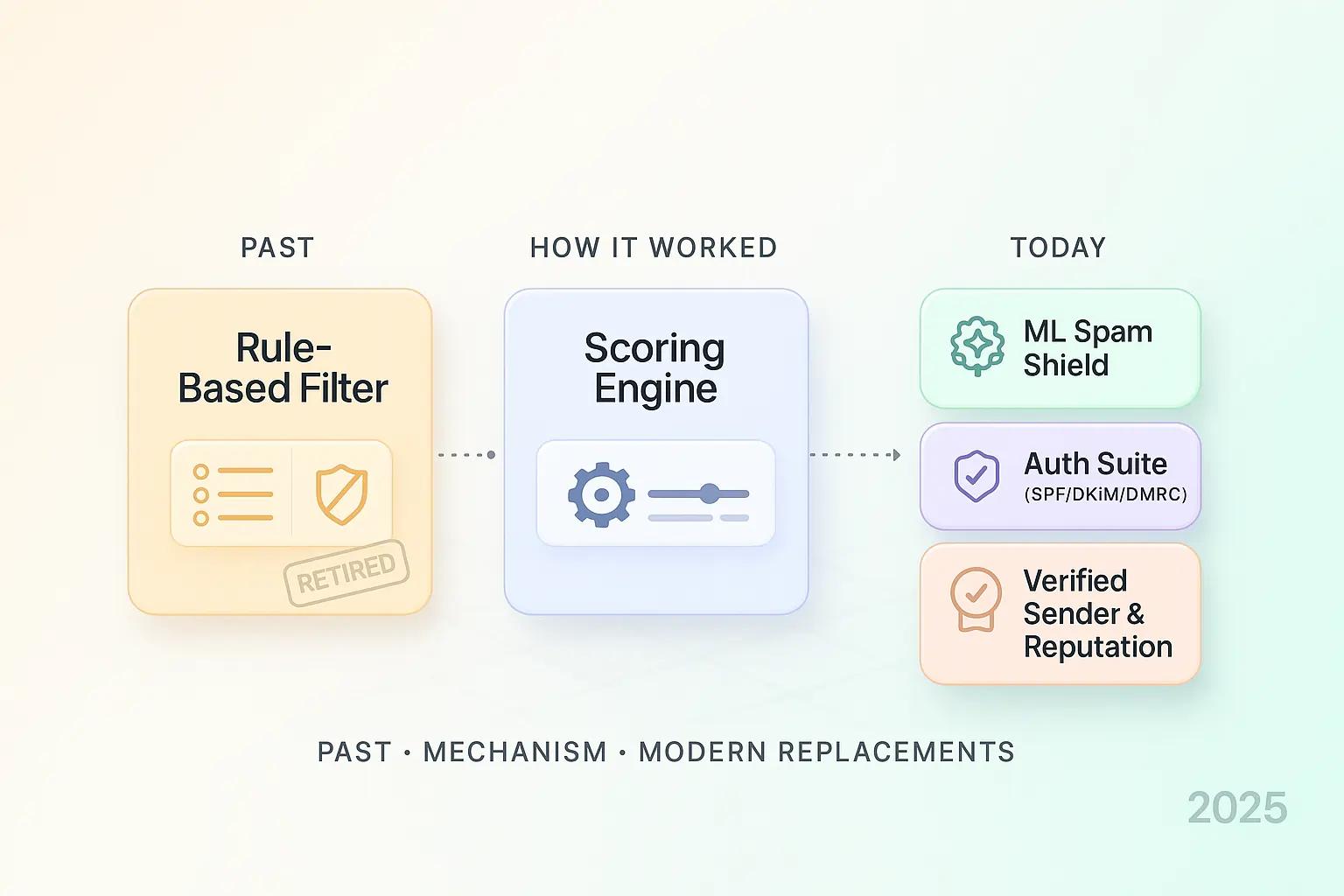
- IMF (Intelligent Message Filter) was Exchange Server’s legacy spam filter. It assigned emails a Spam Confidence Level (SCL) from 0–9 and routed spam to Junk or blocked it entirely. IMF is deprecated and should not be used today.
- Modern Microsoft environments should use Exchange Online Protection and Microsoft Defender for Office 365, which fully replace IMF and defend against phishing, malware, and modern email threats.
- If you still run on-prem Exchange, stop thinking in IMF terms. Enable modern anti-spam agents and route mail through a cloud gateway. Keep SCL only as a mental model during migration.
- The safest path forward is a phased cutover. Pilot EOP and Defender, monitor false positives, then switch MX records. Use quarantine, reporting, and user education to stay in control.
What Should You Use Today?
If You Are on Microsoft 365 (Exchange Online)
Do not use IMF. Use Exchange Online Protection together with Microsoft Defender for Office 365.
This combination fully replaces IMF and adds protection against credential phishing, malicious links, impersonation, and weaponized attachments. Start with Microsoft’s preset security policies to deploy quickly and safely.
If You Are on Legacy On-Prem Exchange
Retire IMF-era assumptions.
Enable built-in anti-spam agents such as Content Filter, Sender Filter, and Connection Filter. Route all inbound mail through a modern cloud gateway like EOP or a trusted third-party provider.
Use IMF’s SCL concept only as a conceptual reference while migrating. Do not attempt to recreate IMF behavior exactly.
If You Only Need a Terminology Refresher
IMF scored messages using SCL values from 0 to 9 and routed mail based on administrator-defined thresholds. Modern replacements still classify messages, but they rely on far richer signals, cloud telemetry, and real-time threat intelligence rather than static content scoring.
What the Intelligent Message Filter Actually Did
IMF operated inside the SMTP pipeline after connection, recipient, and sender filtering had already completed. It analyzed message content using SmartScreen-style models trained on large datasets and assigned an SCL value.
Exchange stored the SCL as a message property. Downstream components then used that value to block the message, route it to Junk, or deliver it to the Inbox.
Most administrators configured two thresholds:
- A gateway threshold to suppress obvious spam before delivery
- A store threshold to divert borderline messages to Junk instead of Inbox
Where IMF Fit in the Mail Flow
IMF evaluated messages only on servers hosting Internet-facing SMTP connectors. Trusted internal connectors bypassed IMF entirely.
Non-SMTP traffic was never evaluated. This design made sense in early Exchange deployments but leaves major security gaps by today’s standards.
What the SCL Scale Meant and Why It Mattered
SCL values ranged from 0 to 9, where higher values indicated a higher probability of spam.
Typical guidance treated messages scoring 5 or higher as spam. Administrators could drop, reject, archive, or route these messages to Junk.
The appeal of SCL was predictability. Admins could start conservative, monitor false positives, then gradually tighten thresholds.
Capabilities, Limits, and Platform Realities
IMF debuted as an add-on for Exchange 2003 and was supported only on standalone servers, not clustered deployments.
Updates were manual and periodic. IMF evaluated only SMTP traffic and relied entirely on content analysis.
These design choices were reasonable in 2004. They do not defend against today’s phishing, impersonation, or link-based attacks.
Actions IMF Could Take
- Gateway level: suppress or pass messages forward
- Mailbox store level: route messages to Junk or Inbox using SCL
This two-tier model offered basic control at entry and delivery, but lacked visibility, automation, and analytics.
Recommended SCL-Style Bands for Migration
These bands are not for IMF use today. They help teams map old thinking to modern tools like EOP and Defender.
- SCL 7–9: delete or reject obvious spam or malware
- SCL 5–6: quarantine or Junk with admin review
- SCL 3–4: Inbox with caution banner
- SCL 0–2: Inbox
Start conservatively and tune only if false positives exceed roughly 0.1%.
Why IMF Is No Longer Relevant
IMF was designed to stop bulk spam. Modern threats focus on:
- Credential harvesting
- Business email compromise
- Malicious links and payloads
Microsoft no longer treats IMF as a strategic control. Customers are directed to Exchange Online Protection and Microsoft Defender for Office 365, which receive continuous updates and intelligence.
Modern Replacements and What You Gain
- Exchange Online Protection: baseline anti-spam and anti-malware
- Microsoft Defender for Office 365:
- Time-of-click URL protection
- Attachment detonation
- Anti-phishing and impersonation policies
- Advanced threat analytics
You also gain centralized quarantine, self-service release workflows, reporting, and message tracing.
A 30-Day Stabilization Plan If You Still Run IMF
Week 1: Inventory and Safety Rails
Document where IMF runs and which SMTP connectors handle Internet mail. Export thresholds and scripts. Enable short-term archiving for suppressed mail.
Week 2: Baseline Accuracy
Track false positives and spam leakage. Identify repeat patterns. Avoid tuning for one-off incidents.
Week 3: Parallel Pilot
Deploy EOP and Defender for a subset of mail flow. Compare verdicts against IMF archives. Tune quarantine and notifications.
Week 4: Full Cutover
Switch MX routing to cloud filtering. Disable IMF gateway actions. Monitor quarantine and message trace reports. Remove legacy update jobs.
Governance, Logging, and User Experience
IMF relied heavily on Outlook behavior for user experience.
Modern platforms provide centralized quarantine, reporting, and self-service workflows, dramatically reducing help desk load.
Educate users on reviewing quarantine, reporting phishing, and avoiding excessive safe-sender lists that weaken protection.
Common Transition Mistakes to Avoid
- Do not replicate IMF thresholds numerically. Replicate outcomes, not numbers.
- Avoid mass whitelisting. Fix DKIM, SPF, and DMARC issues instead.
- Avoid overnight cutovers. Parallel runs produce better data and calmer stakeholders.
Operational Reality During Migration
Email migrations often increase support load temporarily.
During this window, SuperU can absorb inbound calls with an AI voice agent that captures intent, summarizes issues, and routes conversations cleanly, helping sales and service teams stay responsive while IT focuses on security changes.
Frequently Asked Questions
What Was the Intelligent Message Filter?
IMF was an Exchange Server content filter introduced in 2004 that scored SMTP mail using SmartScreen-trained models and administrator-defined thresholds.
How Did SCL Drive Actions?
IMF wrote an SCL value (0–9) to each message. Gateway thresholds suppressed mail early, while store thresholds routed delivered mail.
Could IMF Run Everywhere?
No. It supported only standalone Exchange 2003 servers and evaluated only SMTP traffic.
Why Is IMF Not Recommended Today?
Modern attacks rely on phishing, links, and payloads. IMF cannot defend against these threats.
What Is the Safest Way to Move Off IMF?
Run EOP and Defender in parallel, compare verdicts, tune policies, then cut over MX routing once false positives are controlled.
Conclusion
IMF solved a 2004 problem: bulk spam overwhelming SMTP gateways. It relied on SmartScreen content analysis and SCL thresholds to filter junk.
That model no longer matches today’s threat landscape. Microsoft now provides Exchange Online Protection and Microsoft Defender for Office 365 to defend against phishing, malicious links, and payloads.
If you still depend on IMF, plan a short, data-driven transition. Copy outcomes, not legacy numbers. The result is stronger security, better visibility, and fewer support tickets.
See how SuperU voice agents triage calls during cutover.
