

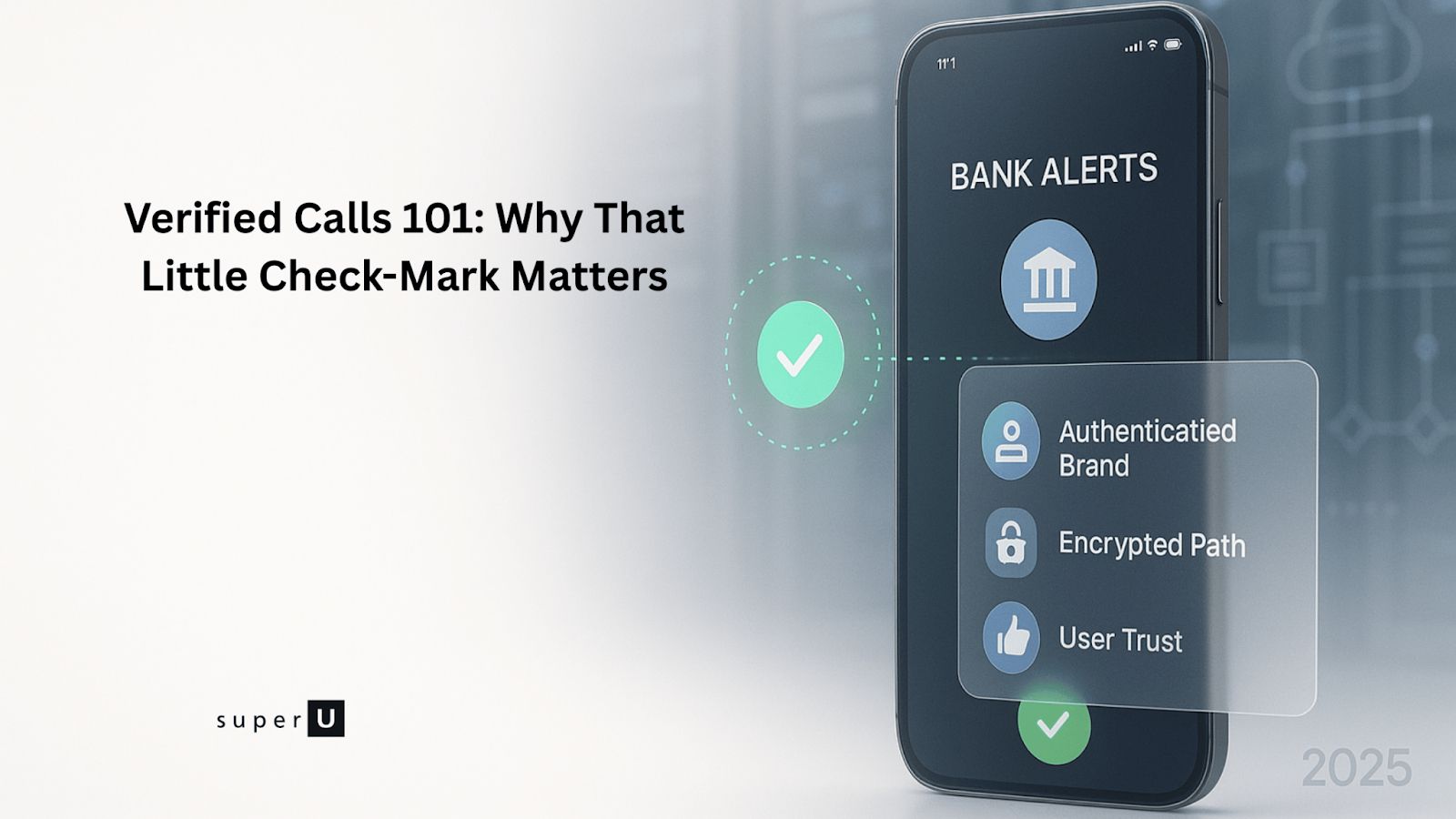
You’ll sometimes see a green checkmark next to a phone number or a note like “calls with a checkmark have been verified by the carrier.” Here’s what that actually means and what it doesn’t.
TL;DR
- The checkmark means the network confirmed the caller ID wasn’t spoofed. It doesn’t guarantee the caller is “good” or “not spam.”
- On Android, “Verified Calls by Google” can also show a business name, logo, and reason for calling separate from carrier verification.
What verified by the carrier means
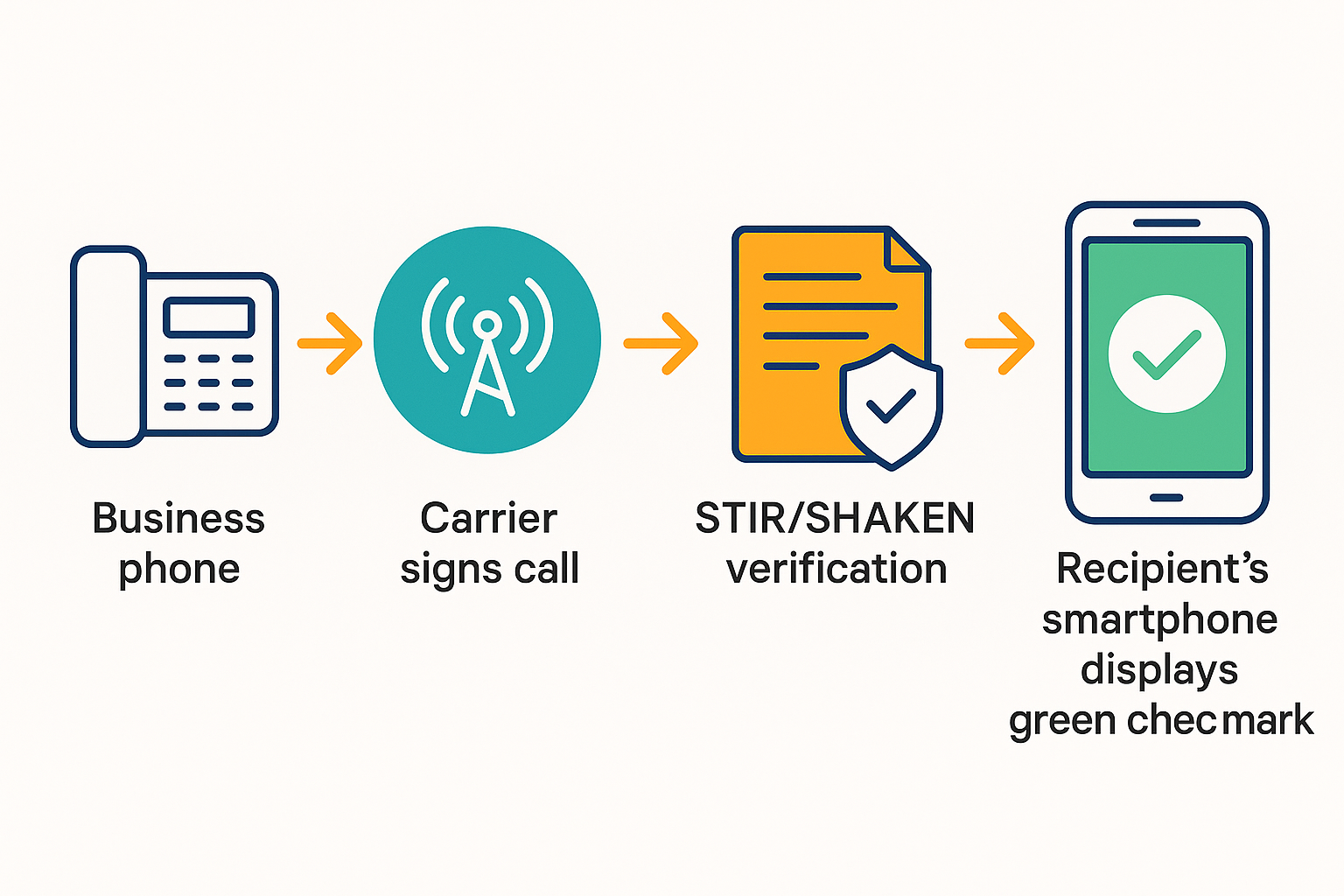
Carriers use STIR/SHAKEN an industry framework that cryptographically signs calls to tell the receiving network that the caller ID is legitimate. When the verification checks out, your phone may show a checkmark or a “verified” label. Think of it like HTTPS for calls: it confirms the number shown matches the number that placed the call.
Important: This check does not judge intent. A verified call can still be unwanted or even a scam if a real number is being misused. Several sources stress this limitation.
How verified shows up on phones
• STIR/SHAKEN (US/Canada): Adds a green check / “Verified” flag only if your provider signs the call with Attestation A (you own the number).
• Branded Caller ID (analytics apps: Hiya / TNS / First Orion): Shows logo, name, reason(“Appointment reminder”) on supported Android devices. Requires brand vetting.
• Google Verified Calls (GVC): On Android with Google Phone app → name + logo + reason. Must register brand & send call intent via API.
• CNAM (name dips): Landlines & some mobiles show text name (no logo). Needs a registered business name.
• Spam/Scam labels: If carriers/analytics score you poorly, users may see “Spam Likely” or red warning.
Why the phone industry had to fix caller ID
Spoofing let fraudsters make your screen flash “IRS” or “Mom” with zero proof. The FCC finally stepped in, ordering every major U.S. voice provider to deploy STIR/SHAKEN caller-ID authentication by June 30, 2021.
Carriers now cryptographically sign each outbound call; recipient networks verify that signature. If everything checks out, your phone shows that reassuring badge. If not, you either see nothing special or a blunt “Caller ID not verified.”
What the checkmark really tells you
1. Number authenticity
The originating carrier used a digital certificate to sign the caller’s number, and the terminating carrier validated it. Think “HTTPS lock icon,” but for phone calls.
2 . Attestation strength
An A level attestation means the provider both knows the customer and knows they own that caller ID number; B means “we know the customer, not sure about the number,” while C is essentially an unverifiable gateway hop. Only A-level calls usually earn the visible badge.
3. A visual nudge
Android phones show a green shield or the word Verified; many iPhones place a subtle check-mark beside the number or in call history.
How STIR/SHAKEN works (without drowning you in acronyms)
Let’s trade telecom jargon for envelopes and wax seals:
1. STIR creates a tamper-proof “letter” containing the caller’s number plus that A/B/C attestation.
2. The originating carrier stamps the letter with its private cryptographic seal.
3. SHAKEN is the protocol every downstream carrier follows to verify the seal.
4. If the seal is valid, your phone shows the badge; if not, no badge (or a warning) appears.
That’s it no personal data is shared, and the whole handshake disappears the instant the call ends.
Google’s extra layer: Verified Calls with branding
On newer Android devices, businesses can go beyond the ✔︎: name, logo, and even “reason for call” slide into your caller-ID card. Google’s secure handshake confirms the business identity, then instantly discards the data. Handy when your pharmacy calls and the screen literally says “Prescription ready for pickup.”
Where you’ll see the badge
| Device or network | What you’ll notice | Helpful tip |
|---|---|---|
| Samsung & Pixel phones | Green shield + “Verified” text | Requires Phone app spam protection toggled on |
| iPhone (iOS 17) | Check-mark after the number in Recents | Badge appears only if carrier sent A-level attestation |
| Comcast/Xfinity landline handsets | A preceding “V” before the number | Shows on both wired and cordless sets |
Does verification really make a difference?
Business case studies suggest answer-rate lifts anywhere from 18 % to 76 % once the unknown number gets a branded, verified display. For consumers, fewer missed calls from the bank or the doctor means fewer “Sorry, thought you were spam” callbacks and that’s priceless.
What the badge can’t promise
- It’s not a lie detector. A con artist can still own a real number and use it for shady sales pitches.
- Not universal yet. Some international and legacy VoIP routes strip away the STIR/SHAKEN token en route, so the check-mark never appears.
- Analytics still matter. Carriers rely on separate spam-scoring engines; a call can be “Verified” and flagged “Spam Likely” at the same time.
How businesses get the checkmark (and better pickup rates)
1. Use proper call routing with STIR/SHAKEN attestation. Work with your carrier/CPaaS so your outbound calls get the highest possible attestation level and propagate the identity token end to end.
2. Register for branded calling where it matters. If your audience is Android heavy, enable Google Verified Calls through a supported provider. Consider cross-carrier branded calling to show your name/logo consistently.
3. Protect your caller reputation. Keep answer to call ratios healthy, honor opt outs, and avoid high frequency redials. Even verified calls can be flagged if user feedback trends negative. (Industry guidance aligns on this.)
Conclusion
No technology makes phone calls 100 % safe, yet the verified-call badge slices the biggest problem, number spoofing off the table. For everyday folks it means one less guess when the phone rings; for businesses, it means dramatically better answer rates and happier customers. In a world where 4.4 billion robocalls can hit in a single month, that’s progress worth answering for.
FAQs
1. What does a green checkmark next to a phone number mean?
The network authenticated the caller ID (not spoofed). It doesn’t guarantee the caller is “good.”
2. What does “calls with a checkmark have been verified by the carrier” mean?
The call passed STIR/SHAKEN checks. Your phone shows that as a checkmark/“verified” label.
3. What does “number verified” or “verified number” mean on Android?
Same concept: the number shown matches the number that placed the call. On Android, you may also see Google Verified Calls branding, which is separate.
4. What does it mean on iPhone call logs?
Different wording, same idea carrier authentication passed. The label text can vary by carrier/region.
5. Can a verified call be spam?
Yes. Verification checks the number, not intent. Use spam filters and caution.
6. What’s the difference between “verified by carrier” and “Verified Calls by Google”?
Carrier verification = network cryptographic check. Google Verified Calls = Google program showing business name/logo/reason for calling in the Phone app.
7. How do I get my business calls to show a name/logo?
Enroll in Google Verified Calls (Android) and/or a branded calling provider (cross carrier) through your carrier/CPaaS.
8. Why do I see “verified” and a spam label?
Analytics can still flag a verified call based on user reports and patterns. Verification and spam scoring are different layers.
verified number is 20% but customer satisfaction is 80%
